

Close Menu
Entertainment Industry Reporter
    Facebook X (Twitter) Instagram
    Entertainment Industry Reporter
    • Home
    • Film
    • Television
    • Box Office
    • Reality TV
    • Music
    • Horror
    • Politics
    • Books
    • Technology
    • Popular Music Videos
    • Cover Story
    • Contact
      • About
      • Amazon Disclaimer
      • DMCA / Copyright Disclaimer
      • Privacy Policy
      • Terms and Conditions
    Entertainment Industry Reporter
    You are at:Home»Technology»The Pros And Cons Of Using A Password Manager Over An Authenticator App
    Technology

    The Pros And Cons Of Using A Password Manager Over An Authenticator App

    By AdminSeptember 23, 2026
    Facebook Twitter Pinterest LinkedIn Tumblr Email
    The Pros And Cons Of Using A Password Manager Over An Authenticator App


    Convenience vs. maximum isolation: Here’s how to choose where your verification codes live.


    Login fields overlayed over a person's hands typing on keyboard.
    Sakorn Sukkasemsakorn/Getty Images

    When it comes to keeping your online accounts safe and sound, two-factor authentication (2FA) has been a standard recommendation from security experts worldwide for years. As more and more people adopt 2FA, one question keeps coming up: Should you store your authentication codes inside your password manager or keep them in a dedicated authenticator app?

    The idea that your login should rely on two separate factors is a fundamental security principle. Password managers offer one approach, while authenticator apps offer another. Each comes with real trade-offs that aren’t always obvious at first glance. While they’re both designed to protect you, they work in completely different ways.

    Two-factor authentication is built on the simple idea that if someone steals your password, they still won’t be able to get into your account without a second piece of proof of your identity. Some apps will send you a text message with a one-time-use code, some will make a number pop on your phone screen, a few will email you a code, while others will ask if you’d rather use a special code generated by an authenticator app.

    A password manager, on the other hand, brings both factors into the same vault, trading some of that separation for convenience. Neither approach is wrong, and each reflects a different set of priorities, like how much friction you’re willing to accept, how you manage devices and what you’re most worried about losing access to. Understanding how these tools work, how they differ and what you need is the recipe for finding the right tool that fits your needs.

    The pros and cons of storing 2FA in your password manager

    Illustration of a man using key to open a padlock.
    Yutthana Gaetgeaw/Getty Images

    Most modern password managers come with multiple tools, including authentication tools. Most popular options, such as 1Password and Bitwarden, can generate and autofill six-digit, time-based one-time password codes right alongside usernames and passwords. There are real advantages to putting all your eggs in one basket.

    It’s such an effortless way to autofill all this info without squinting at your phone and typing in a code before it expires. Another advantage comes for users who handle multiple devices, as password managers sync 2FA codes across desktop, browser and mobile apps, so you’re never stuck without access.

    Another advantage to using a password manager is that you’re never locked out of your devices if you lose or break your phone. Since all your 2FA seeds are backed up inside your encrypted vault alongside your passwords, they’re all equally safe. If you need to share your account data with family or your team, it’s easier to give access to your password manager since they won’t have access to the authenticator tool on your phone.

    It’s not all milk and sugar, because folding 2FA into your password manager comes with downsides too. True 2FA relies on separating the first factor — the password — from the second one — the one-time code. When both live in the same vault, a single master password breach can expose everything at once. Similarly, if you catch a case of malware in the shape of a keylogger or a malicious browser extension, these can all capture your password and 2FA code in the same sweep. Using a separate phone for your authenticator app creates a physical barrier between your password vault and your login codes, which improves safety. Storing both together removes that barrier.

    The pros and cons of using a dedicated authenticator app
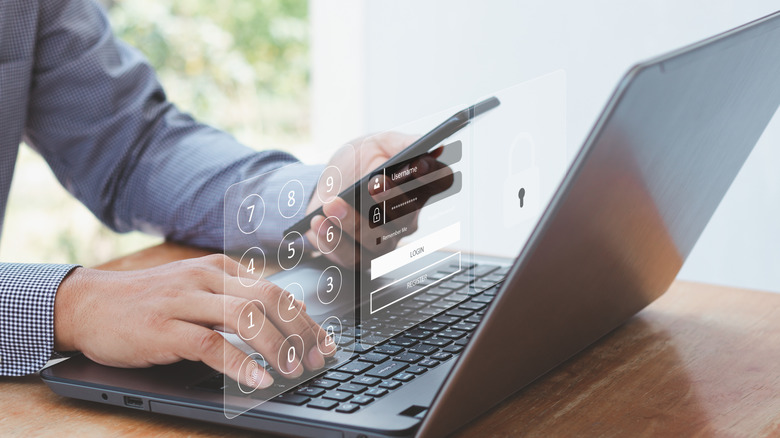

    Person checking phone and typing on laptop.
    Tsingha25/Getty Images

    Standalone apps like Google Authenticator take a more isolated approach because they work offline. There’s physical separation, so your second factor actually lives on a different device than your passwords, and there’s a lower chance of having your data stolen.

    On the other hand, that isolation comes at a cost, because you’ll still be copying six-digit codes by hand. Also, most authentication apps are mobile-only, so you’re out of luck if your phone isn’t nearby. Unless, that is, you have one of the models that also offer desktop apps or browser extensions, like 2FA or 1Password. There’s also the risk of temporary lockout of your accounts if you lose or break your phone, requiring you to set up a replacement device and restore your cloud backups before accessing your codes again.

    The hybrid model brings the best of both worlds

    One of the best ways to make your life easier while still keeping everything safe is to mix and match. Most timed one-time password codes can lie safely in a password manager, but a small handful, such as the codes for your main email account and the password manager itself, are better kept on a separate hardware key or an authenticator app. This way, if your vault is ever compromised, your most critical accounts remain out of reach.

    The breakdown is to use your password manager’s built-in 2FA for low-risk everyday services, like shopping sites and subscriptions. Use a dedicated authenticator app or hardware key for your email, banking and the password manager itself. In this way, the friction is minimal, and your most essential accounts are safe if your password manager is ever compromised.

    Ultimately, neither tool is flawless on its own, and the best choice depends on what you’re protecting and how much back-and-forth between devices you tolerate. For most people, a hybrid approach seems to be the best path forward.


    Original Source Link

    Share. Facebook Twitter LinkedIn Email Telegram WhatsApp

    Related Posts

    Rabbit Is Back, This Time With an AI Agent App

    Why It’s Important To Unplug Your PC During A Power Outage

    Here’s the iFixit Repairability Rating for the iPhone 18 Pro

    What Is iPhone Handoff And Which Carriers Support It?

    Thermacell LIV 2.0 Review: Taking My Yard Back

    How Long Can You Expect Your Old Cassette Tapes To Last?

    Popular Posts

    New Music Video Releases – Jun 2, 2026 – ‘L’Amour Toujours’

    Samsung HW-Q990D Review: Atmos Tested, Gamer Approved

    New details, including who can buy in

    IF trailer – The Numbers

    China Is Cracking Down on Scams. Just Not the Ones Hitting Americans

    Florence + the Machine’s “Everybody Scream” Is Our Song of the Week

    Brooklyn Beckham’s Wife Blamed for Aggravating Family Feud by Source

    Categories
    • Books (2,363)
    • Box Office (1,737)
    • Cover Story (48)
    • Events (35)
    • Featured (50)
    • Film (2,382)
    • Horror (2,366)
    • Lifestyle (11)
    • Music (2,456)
    • Music & Film Reviews (1)
    • Politics (1,513)
    • Popular Music Videos (1,796)
    • Reality TV (1,822)
    • Technology (2,374)
    • Television (2,152)
    • Uncategorized (1)
    Archives
    Useful Links
    • About
    • Contact
    • Privacy Policy
    • DMCA / Copyright Disclaimer
    • Amazon Disclaimer
    • Terms and Conditions
    Categories
    • Books (2,363)
    • Box Office (1,737)
    • Cover Story (48)
    • Events (35)
    • Featured (50)
    • Film (2,382)
    • Horror (2,366)
    • Lifestyle (11)
    • Music (2,456)
    • Music & Film Reviews (1)
    • Politics (1,513)
    • Popular Music Videos (1,796)
    • Reality TV (1,822)
    • Technology (2,374)
    • Television (2,152)
    • Uncategorized (1)
    Popular Posts

    Exclusive Interview: Domenic Migliore (Frame Story)

    New Mystery and Thriller Books to Read | October 8

    Maverick’ Team Made a Racing Movie

    Daisy Ridley on Making Unique Zombie Movie We Bury the Dead

    © 2026 Entertainment Industry Reporter. All rights reserved. All articles, images, product names, logos, and brands are property of their respective owners. All company, product and service names used in this website are for identification purposes only. Use of these names, logos, and brands does not imply endorsement unless specified. By using this site, you agree to the Terms & Conditions and Privacy Policy.

    Type above and press Enter to search. Press Esc to cancel.

    We use cookies on our website to give you the most relevant experience by remembering your preferences and repeat visits. By clicking “Accept All”, you consent to the use of ALL the cookies. However, you may visit "Cookie Settings" to provide a controlled consent.
    Cookie SettingsAccept All
    Manage consent

    Privacy Overview

    This website uses cookies to improve your experience while you navigate through the website. Out of these, the cookies that are categorized as necessary are stored on your browser as they are essential for the working of basic functionalities of the website. We also use third-party cookies that help us analyze and understand how you use this website. These cookies will be stored in your browser only with your consent. You also have the option to opt-out of these cookies. But opting out of some of these cookies may affect your browsing experience.
    Necessary
    Always Enabled
    Necessary cookies are absolutely essential for the website to function properly. These cookies ensure basic functionalities and security features of the website, anonymously.
    CookieDurationDescription
    cookielawinfo-checkbox-analytics11 monthsThis cookie is set by GDPR Cookie Consent plugin. The cookie is used to store the user consent for the cookies in the category "Analytics".
    cookielawinfo-checkbox-functional11 monthsThe cookie is set by GDPR cookie consent to record the user consent for the cookies in the category "Functional".
    cookielawinfo-checkbox-necessary11 monthsThis cookie is set by GDPR Cookie Consent plugin. The cookies is used to store the user consent for the cookies in the category "Necessary".
    cookielawinfo-checkbox-others11 monthsThis cookie is set by GDPR Cookie Consent plugin. The cookie is used to store the user consent for the cookies in the category "Other.
    cookielawinfo-checkbox-performance11 monthsThis cookie is set by GDPR Cookie Consent plugin. The cookie is used to store the user consent for the cookies in the category "Performance".
    viewed_cookie_policy11 monthsThe cookie is set by the GDPR Cookie Consent plugin and is used to store whether or not user has consented to the use of cookies. It does not store any personal data.
    Functional
    Functional cookies help to perform certain functionalities like sharing the content of the website on social media platforms, collect feedbacks, and other third-party features.
    Performance
    Performance cookies are used to understand and analyze the key performance indexes of the website which helps in delivering a better user experience for the visitors.
    Analytics
    Analytical cookies are used to understand how visitors interact with the website. These cookies help provide information on metrics the number of visitors, bounce rate, traffic source, etc.
    Advertisement
    Advertisement cookies are used to provide visitors with relevant ads and marketing campaigns. These cookies track visitors across websites and collect information to provide customized ads.
    Others
    Other uncategorized cookies are those that are being analyzed and have not been classified into a category as yet.
    SAVE & ACCEPT