
Close Menu
Entertainment Industry Reporter
    Facebook X (Twitter) Instagram
    Entertainment Industry Reporter
    • Home
    • Film
    • Television
    • Box Office
    • Reality TV
    • Music
    • Horror
    • Politics
    • Books
    • Technology
    • Popular Music Videos
    • Cover Story
    • Contact
      • About
      • Amazon Disclaimer
      • DMCA / Copyright Disclaimer
      • Privacy Policy
      • Terms and Conditions
    Entertainment Industry Reporter
    You are at:Home»Technology»You Don’t Have To Turn Off Your Phone To Switch SIM Cards (But You Probably Should)
    Technology

    You Don’t Have To Turn Off Your Phone To Switch SIM Cards (But You Probably Should)

    By AdminOctober 18, 2026
    Facebook Twitter Pinterest LinkedIn Tumblr Email
    You Don’t Have To Turn Off Your Phone To Switch SIM Cards (But You Probably Should)


    A quick step removes the small chance of anything going wrong and requiring more of your time.


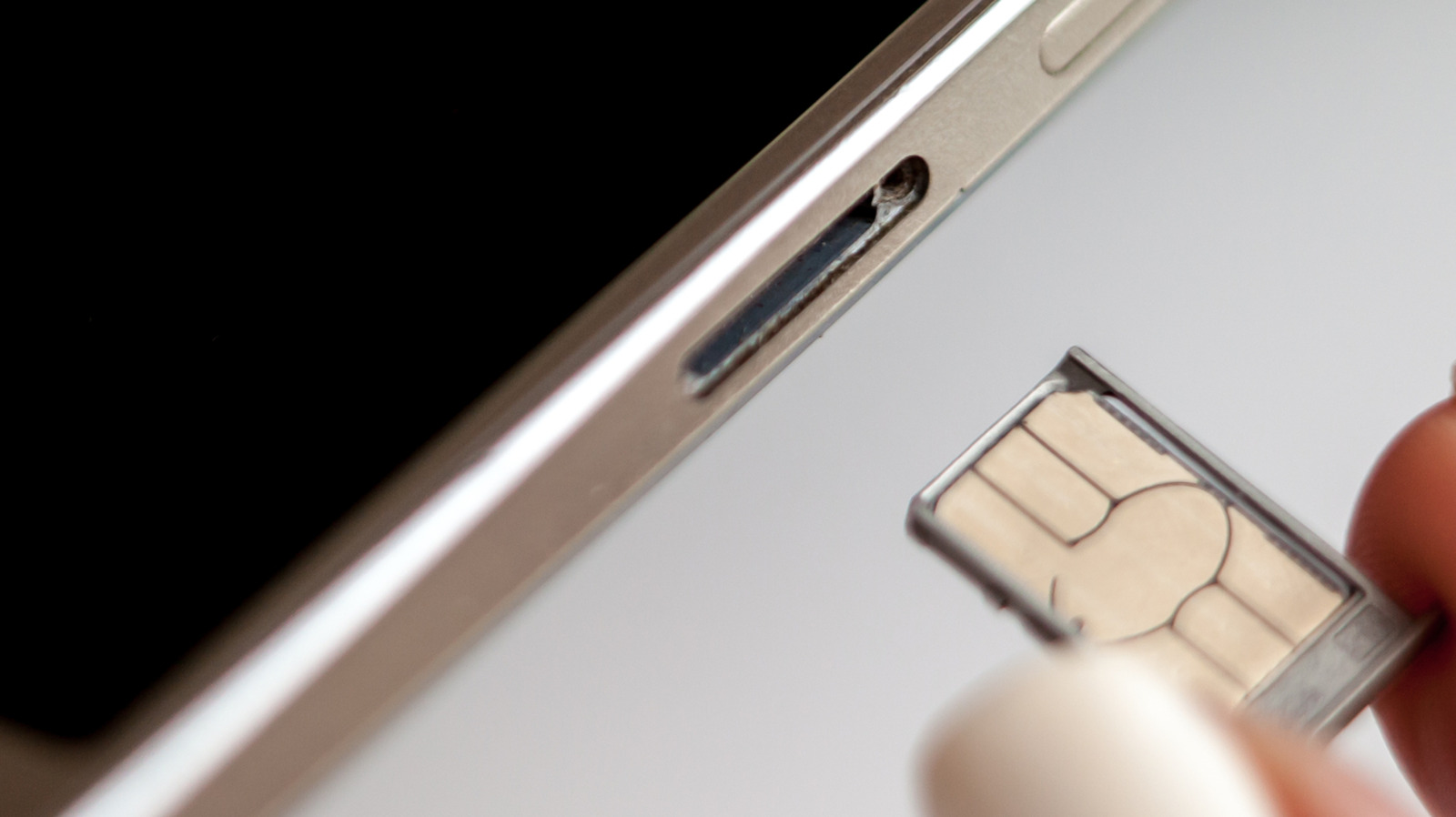
    A SIM card being put into a smartphone using its tray.
    Mikhail Artamonov/Shutterstock

    If your phone has a SIM tray, it’s not something you likely open often, but there are still reasons to. You may be switching to an MVNO to save money, or maybe you’re temporarily swapping out your normal SIM for a cheaper local carrier when travelling. In some cases, your carrier will send you a replacement card if yours is damaged. 

    Most of today’s smartphones let you switch SIMs with the phone on, so you don’t need to switch your device off for the process. But there are modest benefits if you do, and for something so quick, it’s better to be safe if you have a few minutes. 

    How to replace the SIM

    We’re talking about physical SIM cards, which you have to remove from your phone by hand. eSIM replacement should be as simple as using a QR code, carrier app or direct transfer between different smartphones. Most eSIM-compatible phones can store many eSIMS, though only a few can be active at once.

    Physical SIM card replacement involves these steps:

    1. Optionally, power down your phone or enable airplane mode.
    2. Pop the tray out, usually by gently pushing a paperclip or SIM ejector tool into the ejection pinhole on the phone.
    3. Change the card, ensuring you use the correct card size.
    4. Pop the tray back into place.
    5. Enter your PIN or restart if the phone requests it.

    If you have a dual-SIM phone that supports two physical cards, check which SIM you intend to swap before you begin.

    While many argue eSIM is a superior technology because it requires no moving parts, others still appreciate the convenience and relative privacy true SIM cards provide. They make it easy to install and use over-the-counter pay-as-you-go SIM-based accounts, for example.

    The small potential risks of SIM replacement


    A smartphone displaying a network connection error message.
    PeopleImages/Shutterstock

    Most potential dangers of SIM replacement are physical. You might accidentally insert dirt, grime or moisture into the SIM tray, or force a larger card into a smaller slot incorrectly. You could also break the SIM tray so it no longer aligns correctly, or otherwise harm the card. A damaged SIM card or one incorrectly inserted may cause the phone to continue trying (and failing) to create a network connection, draining its battery and causing it to overheat. 

    Most people never encounter these problems, since slowing down and being careful does the trick. In most cases, your phone will take a moment to read the new SIM and find the network. Then it will be available for service, subject to account setup requirements. 

    The benefit of turning your phone off before swapping the SIM is minor. It forces your phone to look at the fresh information provided on the new card when it powers on again, helping register your device on its new network more quickly by reading the new carrier settings. This reduces the chance you’ll encounter a software-based “network error” message when you swap.

    More to think about when swapping SIMs

    Before the 2010s, SIM slots were usually located underneath a phone’s removable battery, which obviously required powering off the device to access. Over time, as removable batteries became less common, SIM trays were moved to the outside of phones. Early models using this setup would often show a network error if you swapped SIMs while the phone was on, but they quickly became hot-swappable and this was no longer a problem.

    You don’t even need to switch your device off completely to make the phone refresh its carrier settings from the card. You’ll get a similar result if you turn on airplane mode, wait 30 seconds before swapping the SIM and turn airplane mode off again once the new SIM is inserted. This should prevent any carrier hiccups during the process.

    A warning on SD cards

    Unlike the iPhone, some Android devices still include a microSD card slot. In some cases, this is in the same tray as the SIM, though placement varies. If this is the case for you, as when ejecting an external drive, it’s important to unmount the microSD card before removing the SIM to prevent losing data. On Samsung devices: open the My Files app, find the SD Card, tap the three-dot menu next to it and choose Unmount. Search the Settings app or check online documentation if you’re not sure how this works for your device.

    So while the benefits are slight, switching off your phone when replacing the SIM can prevent software-related glitches. If you don’t want to power down, use airplane mode instead. And in case you encounter a network error after swapping, always try restarting your device first.


    Original Source Link

    Share. Facebook Twitter LinkedIn Email Telegram WhatsApp

    Related Posts

    20 Best Gifts for Men, Manly Men, and Manly Man Men (2026)

    Encryption Is Getting Squeezed From All Sides

    The Tesla Roadster Should Go Into Production In 2028, But Don’t Get Your Hopes Up

    Chicago-Area Cops Helped HSI Spy on Minnesota Anti-ICE Activists

    Relive Tesla’s Ridiculous(ly Fun) Roadster Stunt Show

    Upgrade Your Thermostat for Winter With This Ecobee Deal for $120

    Popular Posts

    The Creative Nonfiction Film Weekend highlights the infinite possibilities of documentary

    Meghan Markle & Prince Harry Have Jeopardized Royal Relations — Expert

    OF GREED AND GLORY | Kirkus Reviews

    THE TRADE TRAP | Kirkus Reviews

    Jake Lockett Talks Carver and Violet’s Reunion, If He’ll Return Again (Exclusive)

    TERROR ON TUBI: Get Into the Halloween Spirit with 10 Halloween Horror Picks Now Streaming on Tubi, Including R.L. STINE’S PUMPKINHEAD, SPIRIT HALLOWEEN: THE MOVIE, and THE ADDAMS FAMILY

    India’s ‘Peddi’ Backlash Over Depiction Of Female Lead

    Categories
    • Books (2,414)
    • Box Office (1,776)
    • Cover Story (51)
    • Events (36)
    • Featured (53)
    • Film (2,436)
    • Horror (2,418)
    • Lifestyle (11)
    • Music (2,508)
    • Music & Film Reviews (1)
    • Politics (1,566)
    • Popular Music Videos (1,847)
    • Reality TV (1,873)
    • Technology (2,426)
    • Television (2,207)
    • Uncategorized (1)
    Archives
    Useful Links
    • About
    • Contact
    • Privacy Policy
    • DMCA / Copyright Disclaimer
    • Amazon Disclaimer
    • Terms and Conditions
    Categories
    • Books (2,414)
    • Box Office (1,776)
    • Cover Story (51)
    • Events (36)
    • Featured (53)
    • Film (2,436)
    • Horror (2,418)
    • Lifestyle (11)
    • Music (2,508)
    • Music & Film Reviews (1)
    • Politics (1,566)
    • Popular Music Videos (1,847)
    • Reality TV (1,873)
    • Technology (2,426)
    • Television (2,207)
    • Uncategorized (1)
    Popular Posts

    RHOBH’s Dorit Kemsley Announces New Book

    The Tokyo International Film Festival has unveiled its full line-up

    How To Improve Your Audio Quality On Apple CarPlay

    YouTube is taking its fight against ad blockers global

    © 2026 Entertainment Industry Reporter. All rights reserved. All articles, images, product names, logos, and brands are property of their respective owners. All company, product and service names used in this website are for identification purposes only. Use of these names, logos, and brands does not imply endorsement unless specified. By using this site, you agree to the Terms & Conditions and Privacy Policy.

    Type above and press Enter to search. Press Esc to cancel.

    We use cookies on our website to give you the most relevant experience by remembering your preferences and repeat visits. By clicking “Accept All”, you consent to the use of ALL the cookies. However, you may visit "Cookie Settings" to provide a controlled consent.
    Cookie SettingsAccept All
    Manage consent

    Privacy Overview

    This website uses cookies to improve your experience while you navigate through the website. Out of these, the cookies that are categorized as necessary are stored on your browser as they are essential for the working of basic functionalities of the website. We also use third-party cookies that help us analyze and understand how you use this website. These cookies will be stored in your browser only with your consent. You also have the option to opt-out of these cookies. But opting out of some of these cookies may affect your browsing experience.
    Necessary
    Always Enabled
    Necessary cookies are absolutely essential for the website to function properly. These cookies ensure basic functionalities and security features of the website, anonymously.
    CookieDurationDescription
    cookielawinfo-checkbox-analytics11 monthsThis cookie is set by GDPR Cookie Consent plugin. The cookie is used to store the user consent for the cookies in the category "Analytics".
    cookielawinfo-checkbox-functional11 monthsThe cookie is set by GDPR cookie consent to record the user consent for the cookies in the category "Functional".
    cookielawinfo-checkbox-necessary11 monthsThis cookie is set by GDPR Cookie Consent plugin. The cookies is used to store the user consent for the cookies in the category "Necessary".
    cookielawinfo-checkbox-others11 monthsThis cookie is set by GDPR Cookie Consent plugin. The cookie is used to store the user consent for the cookies in the category "Other.
    cookielawinfo-checkbox-performance11 monthsThis cookie is set by GDPR Cookie Consent plugin. The cookie is used to store the user consent for the cookies in the category "Performance".
    viewed_cookie_policy11 monthsThe cookie is set by the GDPR Cookie Consent plugin and is used to store whether or not user has consented to the use of cookies. It does not store any personal data.
    Functional
    Functional cookies help to perform certain functionalities like sharing the content of the website on social media platforms, collect feedbacks, and other third-party features.
    Performance
    Performance cookies are used to understand and analyze the key performance indexes of the website which helps in delivering a better user experience for the visitors.
    Analytics
    Analytical cookies are used to understand how visitors interact with the website. These cookies help provide information on metrics the number of visitors, bounce rate, traffic source, etc.
    Advertisement
    Advertisement cookies are used to provide visitors with relevant ads and marketing campaigns. These cookies track visitors across websites and collect information to provide customized ads.
    Others
    Other uncategorized cookies are those that are being analyzed and have not been classified into a category as yet.
    SAVE & ACCEPT